
Partners and Commissions
Some sellers list and sell other people's items: a friend's closet on consignment, a sourcing partner who finds stock, a family member's things. If that 's how you operate, turn partners on and RelistKit tracks each partner's share as their items sell, what you have paid them, and what you still owe.
Turning it on
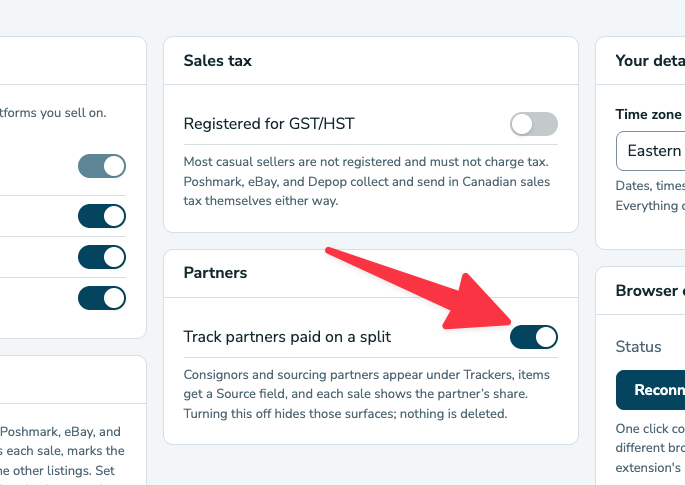
Navigate to Settings → Partners and enable Track partners paid on a split, or press Turn on partners under Trackers → Partners. Turning it off later hides everything related to partners and commissions but retains any previous records.
Adding a partner
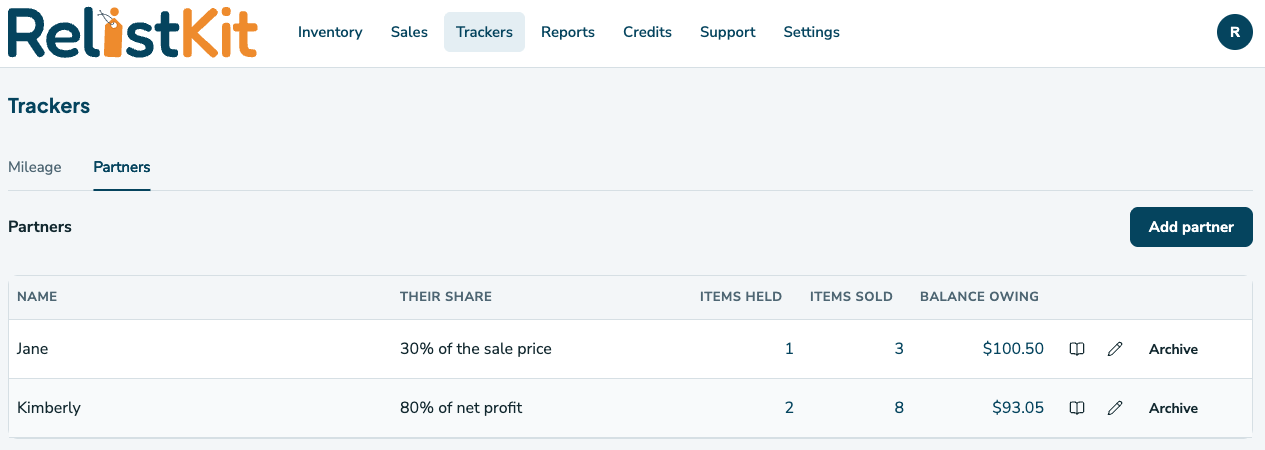
Once enabled, you can visit Trackers → Partners → Add partner to set up a partner. A partner needs a name, their share as a percentage, and what the share is of:
- Net: your net profit on the sale: the price after any tax you collected, the platform's fees, the shipping label, and any cost you recorded on the item (a consigned item has none). Common for consignment: "you get 60% of what I actually clear".
- Gross: the sale price. Common for sourcing partners: "you get 30% of what it sells for".
Linking items to a partner
You can link items to an existing partner two different ways:
- One at a time: on the item page, look for the Source field at the bottom. Choose the partner. You can set a different share for that one item if you agreed one.
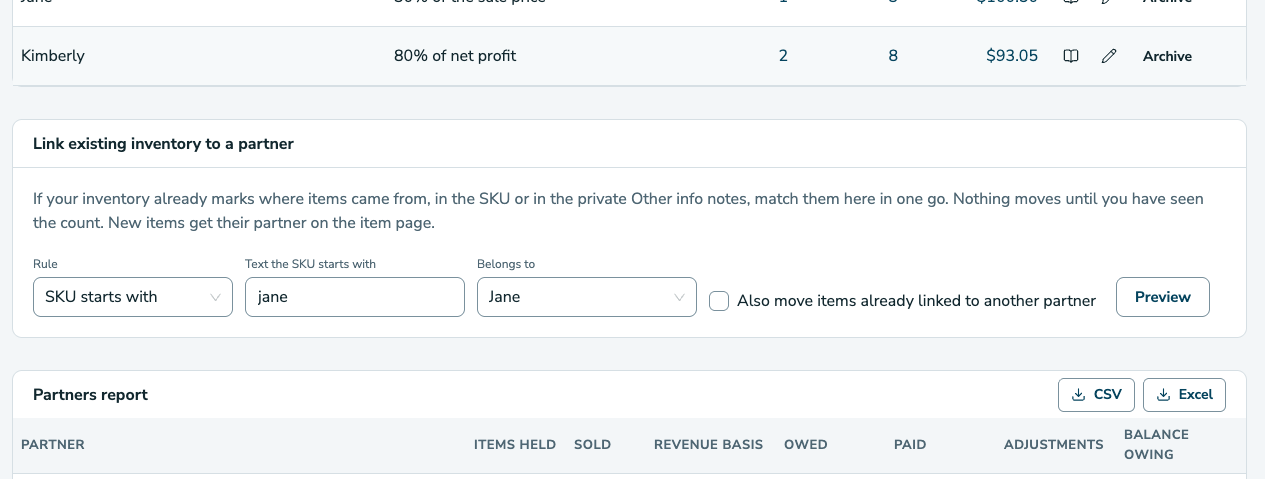
- In bulk, for items already in your inventory: under Partners → Link existing inventory to a partner, choose a rule (SKU starts with, SKU contains, SKU is letters only, Other info contains), type the text, choose the partner, press Preview. A list shows every item that matches with its full title and SKU and what will happen to it; press Link to apply. Items already linked to another partner are left alone unless you tick the box.
Many sellers put the partner's name or initials in the SKU (JANE-014 , 526 - Jane ) exactly so this works.
What happens when a partner's item sells
The moment the sale is recorded (from an email or by hand), a commission appears: the partner's percentage of the net profit or the sale price, per your setup. Enter the shipping label cost when you buy the label; the share updates. It shows on the item page, in the Partner share column under Sales → All sales, and on the partner's ledger. Refunds reduce it; a cancelled sale voids it. Shares already paid are never changed.
Common questions
Can a partner have different splits for different items? Yes: set a share on the item page. Otherwise the partner's usual share applies.
Do partners get an account? No. This is your record of what you owe. Send them the receipt or a statement.
I changed a partner's percentage. It applies to sales from now on. Shares already worked out stay as they were.