
Paying a Partner
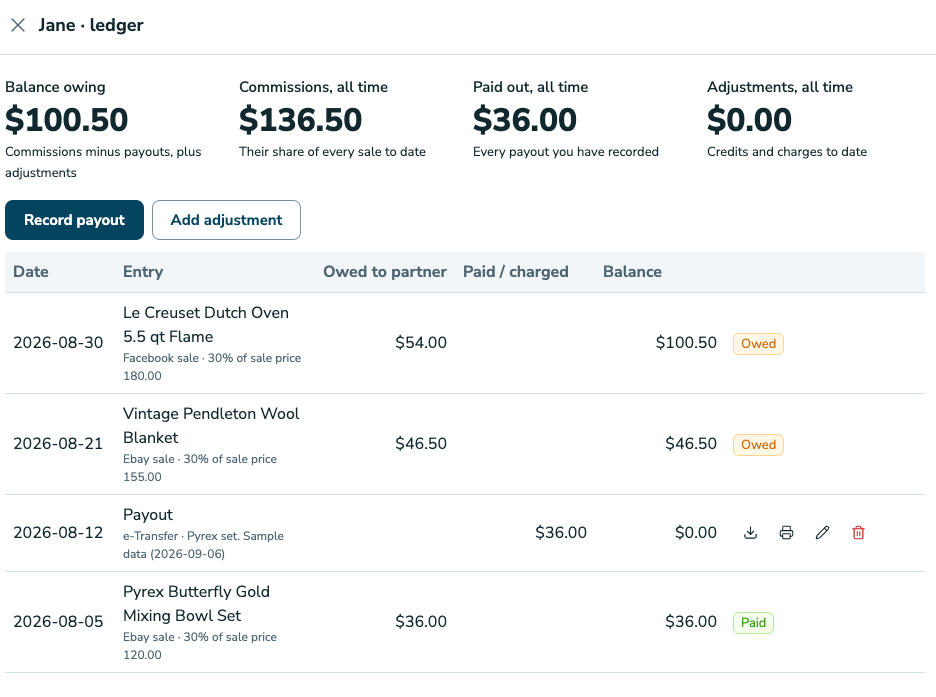
Each partner has a ledger: every share they earned, every adjustment, every payout, with a running balance. It is where you record what you paid them and where you get the receipt to send them.
1. Open the ledger
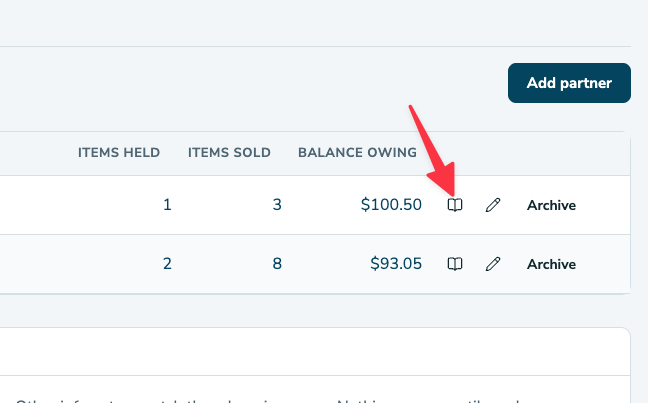
Navigate to Trackers → Partners. In the partner's row, click the Balance owing amount to open their ledger.
2. Read it
Four tiles sit at the top of the ledger:
- Balance owing is what you owe the partner right now.
- Commissions, all time is every share the partner has earned.
- Paid out, all time is every payout you have recorded.
- Adjustments, all time is the net of the credits and charges you have added.
Below the tiles, every entry is listed newest first, each with the running balance after it. A share shows Owed until a payout covers it, and then it shows Paid.
3. Record a payout
- On the ledger, click Record payout.
- Select the date you paid, under Paid on.
- Check the amount. It is pre-filled with everything owed through that date; change it if you paid something else.
- Choose how you paid from the method dropdown: e-Transfer, Cash, Cheque, or Other.
- Enter a memo if you want one, and then click Record.
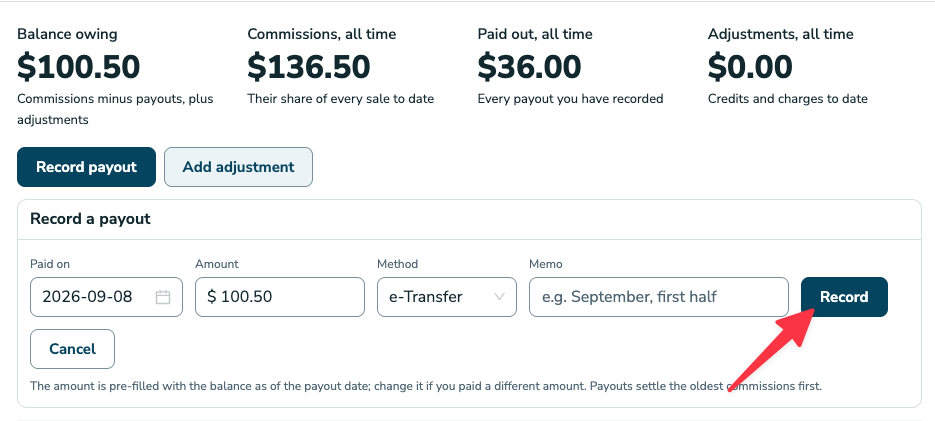
The payout settles the oldest owed shares first, so each share knows which payout paid it.
Every payout has a receipt. Click Receipt (CSV) to download it or Print the receipt to print it.
4. Add an adjustment
An adjustment is money that is not a sale: the partner covered supplies (a credit to them), or you deducted a fee you agreed (a charge).
- On the ledger, click Add adjustment.
- Choose Credit to partner or Charge to partner.
- Enter the amount and the date.
- Enter a memo under Memo (required), so the ledger explains itself later.
- Click Save.
Fixing mistakes
Edit or delete a payout or an adjustment from its row on the ledger. Deleting a payout sends its shares back to Owed. The ledger recalculates from scratch every time, so it is always consistent.
The Partners report
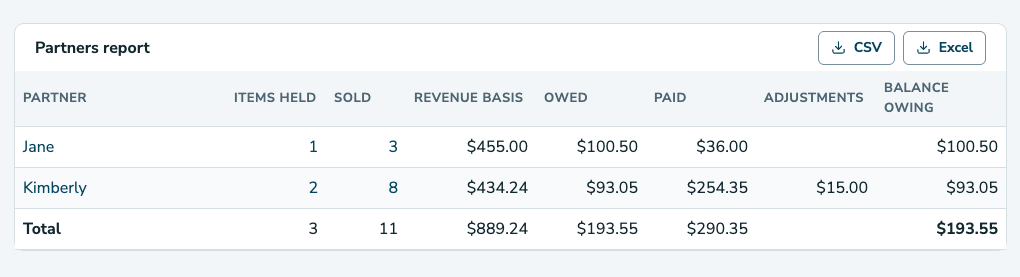
At the bottom of the Trackers → Partners page, the Partners report has one row per partner with these columns:
- Items held
- Items sold
- Revenue from their items
- Shares owed
- Shares paid
- Adjustments
- Balance
Click CSV or Excel to download the report.
Common questions
The balance is negative.
You have paid ahead. The next shares will use it up.
I paid a partner before I started using RelistKit.
Record an adjustment charge for the amount already paid, dated when you paid it, so the balance starts right.
A refund came in after I paid the partner.
The share stays paid, because that money has left your hands. If your agreement says the partner shares refunds, record an adjustment charge for their part.