
Turn Off Other Cross-listing Extensions
Chrome runs every extension you have switched on. If you also use another listing tool, like ListEye, Vendoo, List Perfectly or Crosslist, its extension can work on the same marketplace form as RelistKit. Two tools filling one form get in each other's way. Turn the other one off while RelistKit fills a form.
Signs another tool is in the way
- The form fills partway, then stops.
- A field, like the size, won't take a value.
- An error mentions a different tool.
- A cross-listing tab stays blank.
Turn an extension off
- Type
chrome://extensionsin Chrome's address bar and press Enter. (Or click Chrome's ⋮ menu, then Extensions, then Manage Extensions.) - Find the other tool's card, and click the switch in its lower right corner. It turns grey.
- Leave RelistKit switched on. Its switch stays blue.
- Reload any Poshmark, eBay, Depop or Facebook tabs you have open.
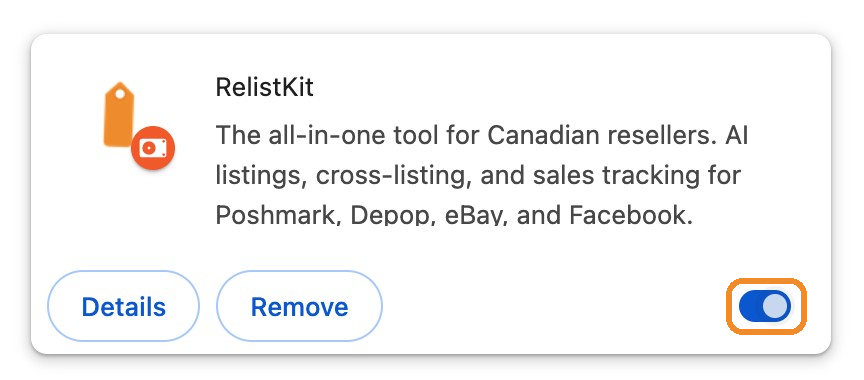
Turning an extension off doesn't uninstall it, and its settings are kept. To use it again, click the same switch, then reload your tabs.
A page keeps the extensions it loaded with until you reload it. After switching an extension on or off, reload your marketplace tabs.
Keep both tools
If you use another tool for other things, you can keep it, and only switch it off while RelistKit fills a form. Or set up a separate Chrome profile with only RelistKit in it: each Chrome profile has its own extensions and sign-ins.
Common questions
Do I have to uninstall the other tool?
No. Switching it off is enough, and it keeps its settings.
Can RelistKit tell me when another tool is in the way?
No. Chrome doesn't let one extension see or control another, so you'll need to switch the other tool off yourself.
The eBay or Depop form only half filled.
Switch the other tool off, reload the page, and cross-list again.
I switched off RelistKit by mistake.
RelistKit's Settings → Browser extension card says Not detected. Switch RelistKit back on at chrome://extensions, then reload your tabs.
Will turning off the other tool lose my data in it?
No. Its account and data are separate, and nothing is uninstalled.