
Your Data: Export and Deletion
Your data is yours. You can download your records whenever you like, ask for a full copy of everything RelistKit holds about you, or ask us to delete your account.
Download your records yourself
Most of your records have CSV and Excel buttons, so you can download them as spreadsheets anytime:
- Inventory → Items: every item, whatever view you're in.
- Sales → All sales: the sales in the dates and filters you've chosen.
- Trackers: your expenses, equipment, other income, mileage and consignor statements.
- Reports: each report, for the period you've chosen.
On the Pro plan, Reports → Downloads puts every report for a year into one workbook (see Year-end Reports for Your Accountant).
Ask for a full copy of your data
- Click your initials in the top right corner, then Account.
- Under Your data, click Download my data.
- Click Send the request.
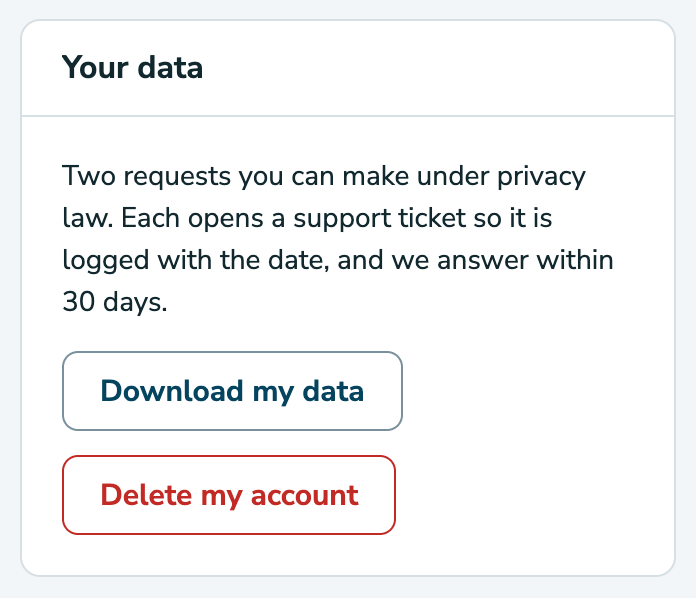
This opens a support ticket, so your request is logged with the date. Within 30 days, we send you a zip file with everything RelistKit holds about your account: your inventory, listings, sales, photos, consignors, mileage trips, tax records and settings.
Leaving? You don't have to delete anything
To stop paying, move to the Free plan instead:
- Open Settings.
- On the Your plan card, click Manage plan.
- Click Move to Free, then Cancel my plan.
Your plan runs to the end of what you've paid for. Your items, sales and reports stay, and you can come back anytime.
Ask us to delete your account
Before you ask:
- Download what you need. Deleting erases your tax records too. The CRA generally asks businesses to keep their records for six years.
- Cancel your paid plan, if you have one, as described above.
Then:
- Click your initials in the top right corner, then Account.
- Under Your data, click Delete my account.
- Click Send the deletion request.
A person handles your request within 30 days, and we confirm by email when it's done. Everything RelistKit holds for you is erased: listings, photos, sales, consignors, trips, tax records and your login. The extension stops working. Your listings on Poshmark, eBay, Depop and Facebook Marketplace aren't touched.
Once your account is deleted, it can't be undone. Changed your mind? Reply on the support ticket before it's done.
Afterwards, you may want to remove the RelistKit extension from Chrome, and the email forwarding rule you set up for sale emails.
Delete single items or sales
- An item: open it and click Delete this item at the bottom of the page. To delete several, tick them on Inventory → Items and click the delete button that appears, like Delete 3 selected.
- A sale record: on Sales → All sales, click the bin on its row. This removes the record from RelistKit only. Nothing changes on the marketplace.
Common questions
How do I get my inventory and sales into a spreadsheet?
Click CSV or Excel on Inventory → Items and on Sales → All sales.
If I cancel my plan, is anything deleted?
No. Moving to Free keeps your items, sales and reports.
How long does deleting my account take?
Up to 30 days. A person handles it, and we confirm by email.
Will my listings on the marketplaces be deleted?
No. Deleting your RelistKit account never touches your marketplace listings.