
Getting Support
Most answers are right here in the Help Centre. When you need a person, open a support ticket in RelistKit. A ticket is your question to the RelistKit team, kept as one conversation with every reply, so nothing gets lost.
Search the Help Centre first
- Type a few words into the search box at the top of help.relistkit.com.
- Or click the round orange help button in the lower right corner of any RelistKit page. It searches these articles as you type. If nothing answers your question, click Ask to send us a message.
Open a support ticket
- In RelistKit, click Support in the top menu. (On a phone or a narrow window, click Menu first.)
- Click New ticket.
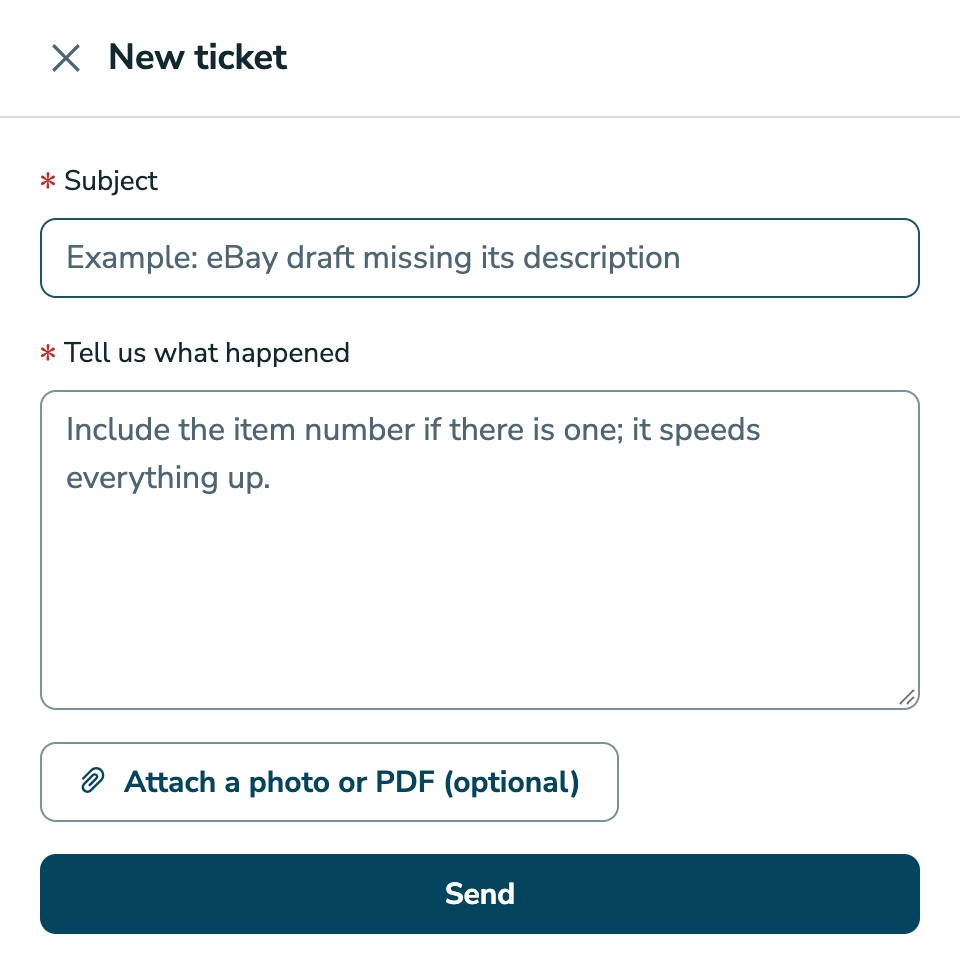
- Under Subject, write a few words, like "eBay draft missing its description".
- Under Tell us what happened, describe what you were doing and what you saw. Include the item number if there is one: it speeds everything up.
- To add a screenshot, click Attach a photo or PDF (optional).
- Click Send.
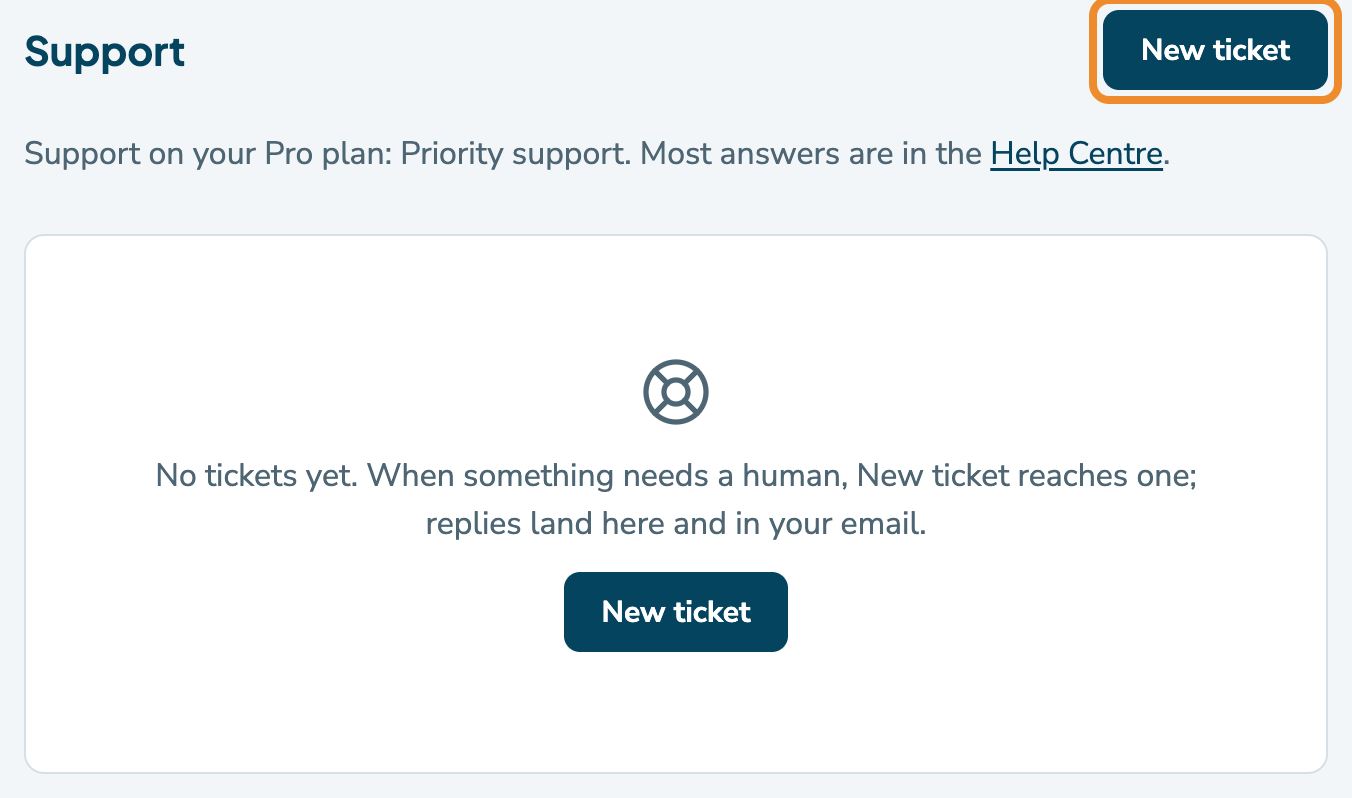
RelistKit confirms it's sent, and the ticket appears in your list, sometimes after a few seconds. Our answer lands on the ticket and in your email.
Each message can carry one photo (JPEG, PNG, WebP or GIF) or one PDF, up to 5 MB. iPhone photos saved in HEIC format aren't accepted, but screenshots are fine. To send more files, add them in a reply.
What helps us answer fast
- The marketplace and the page you were on, like a Poshmark draft, eBay's listing form, or your closet.
- What you clicked, and what RelistKit said.
- The item number, from the ID column under Inventory → Items, or the listing's link.
- A screenshot of the panel or the page.
- The panel's Activity lines, if it has them: click Copy at the bottom of the RelistKit panel, then paste the lines into your ticket. Activity is the panel's last few notes on what it did in that tab.
- For a sale that didn't record: the marketplace, the date and time of the sale email, and the address you forwarded it to.
Your tickets
The Support page lists your tickets, the most recent activity first. Each one shows its Subject, Status and Last activity:
- Open: we're on it.
- Waiting: we're waiting on something, often a reply from you.
- Closed: answered and closed. You can still reply if you need more help.
To reply:
- Click the ticket to open it. Each message shows who wrote it and when.
- Type in Write a reply…. To add a file, click Attach.
- Click Send reply.
You can also simply reply to our email. Requests to download your data or delete your account appear in this list too, because each one is a ticket (see Your Data: Export and Deletion).
Is RelistKit down?
Check the status page at status.relistkit.com. It shows whether RelistKit's website and app are working right now. You'll also find it as Status at the bottom of every RelistKit page. It doesn't cover Poshmark, eBay, Depop or Facebook.
When the RelistKit panel shows an error, it offers Status page and Contact support buttons. Contact support opens the Support page in RelistKit.
Support on your plan
Every plan can open a ticket. On Pro, tickets are answered first (priority support), and the email you get when you start Pro has a link to book a personal onboarding call.
What we'll never ask for
- Your Poshmark, eBay, Depop or Facebook password
- Your RelistKit password
- Your card details: you only ever enter those on Stripe's secure payment page, from RelistKit
If a message asks for any of these, it isn't from us.
How quickly we reply
We reply within one business day. Privacy requests, for a copy of your data or to delete your account, are completed within 30 days, as the law requires.
Common questions
I don't see the ticket I just sent.
It can take a few seconds to appear. Reload the Support page.
The Support page won't load.
Email us at [email protected], and a real person replies.
How do I ask for a refund on my plan?
Use Ask for a refund on the Your plan page, while it's offered. See Plans, Credits and Billing.