
Your First Listing, Step by Step
This article walks one item all the way through: from photos, to a listing RelistKit writes for you, to live on Poshmark, to cross-listed on your other marketplaces. The first time takes about 10 minutes. It uses 1 credit to write the listing, plus 1 more if you research the price. It works on every plan.
Before you start
- You're using Chrome on a computer, with the RelistKit extension connected. In RelistKit, Settings → Browser extension should say Connected.
- The marketplaces you sell on are switched on under Settings → Cross-listing platforms.
- You have photos of the item: about 8 is good, including the tags and any flaws.
1. Make a photos-only draft on Poshmark
- On poshmark.ca, start a new listing and add your photos. Leave the text fields empty: RelistKit writes them.
- Save it as a draft. On the website, Save Draft is in the window that opens when you click Cancel.
- Open the draft from your drafts.
You can also make the draft in the Poshmark phone app, then open it on your computer. The RelistKit button only appears on a saved draft's page, not while you're creating a new listing.
2. Let RelistKit write the listing
- Click the RelistKit button in the lower right corner of the draft's page.
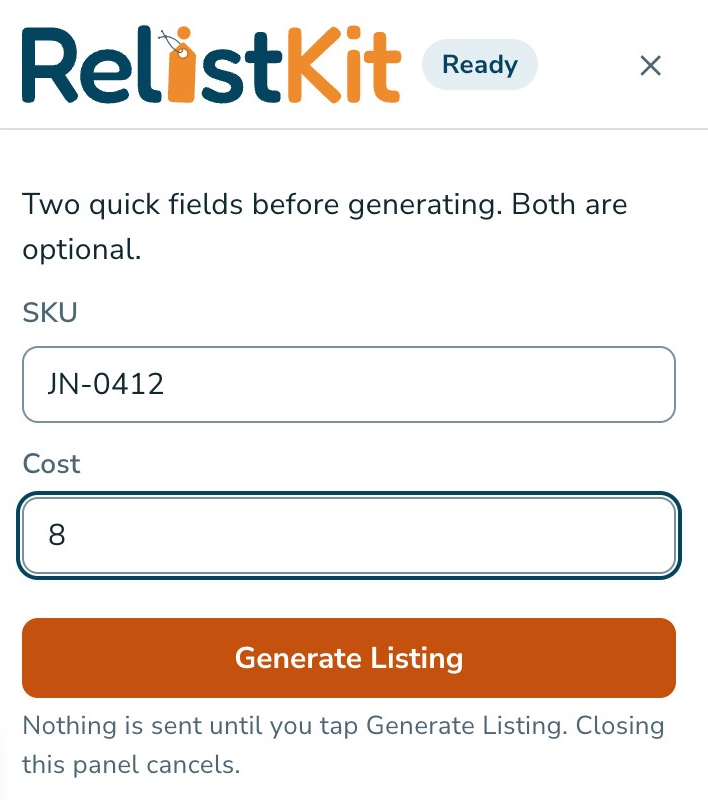
- If RelistKit asks, enter a SKU (your own code for the item) and a Cost (what you paid). Both are optional.
- Click Generate Listing.
- Wait 10 to 20 seconds. Leave the form alone until the panel says Filled.
3. Check what RelistKit wrote
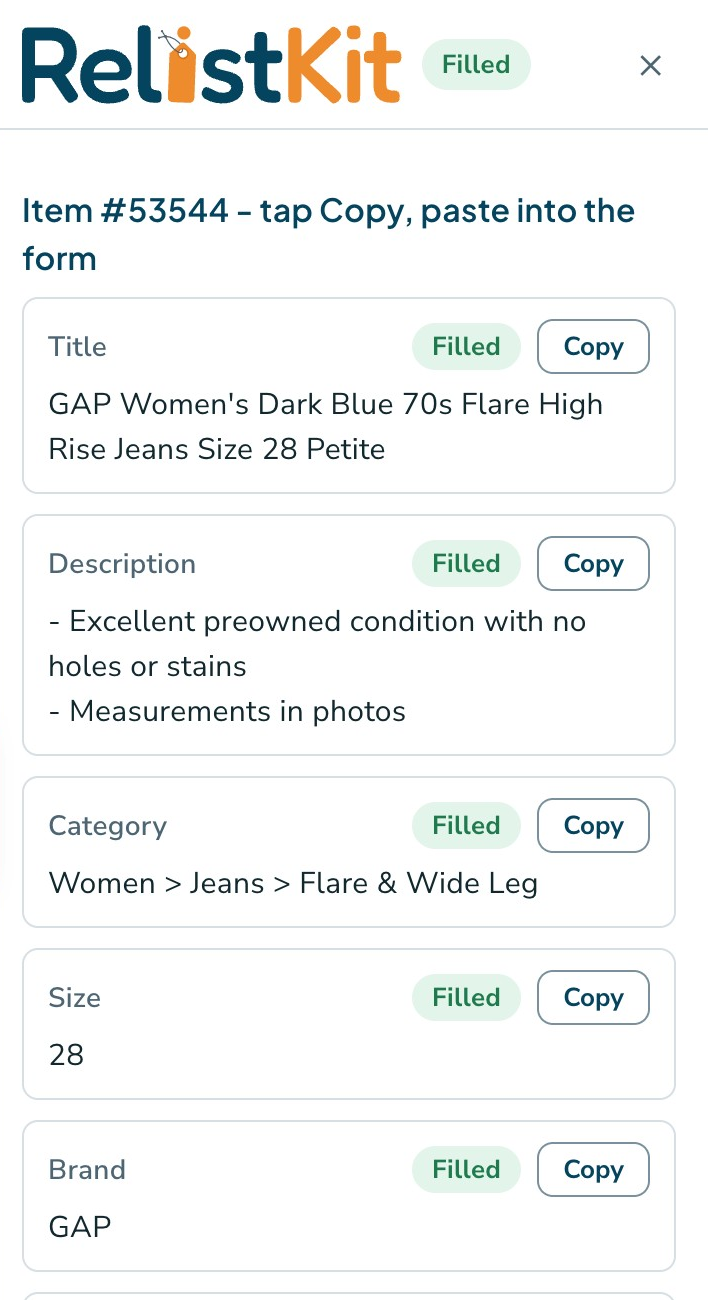
The panel lists each field it filled in: the title, description, category, size, brand, colour, condition, price and more. Filled means RelistKit filled that field. Kept your value means the field already had something in it, so RelistKit left it alone.
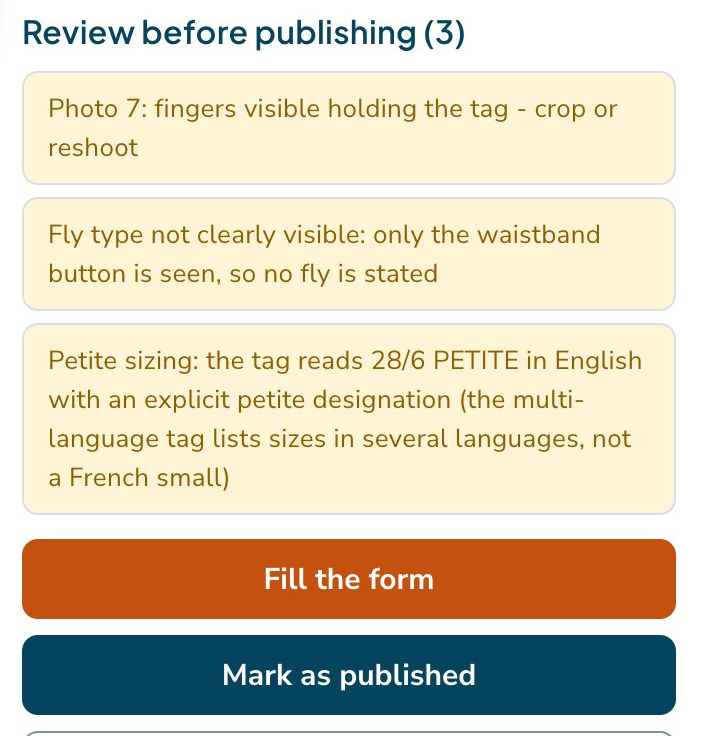
Further down, Review before publishing lists anything RelistKit couldn't confirm from your photos. Read each note, and fix anything in Poshmark's form. Your changes win, and they carry over when you cross-list.
The price starts a little above what the item is likely to sell for, so you have room to accept offers. For a price based on recent sales, click Research the price (1 credit), then Use this price if you like it.
4. Publish on Poshmark
- Click Poshmark's Update button.
- On the Share Listing page, click List This Item.
- Back on your closet, the RelistKit panel says the item is recorded as listed on Poshmark.
RelistKit never publishes anything for you. Only you do, on the marketplace.
5. Get it ready to cross-list
- In the panel, click Open item in RelistKit.
- Make the first photo square: click the scissors on it, adjust the square, then click Save & exit. eBay and Depop use square photos. Poshmark keeps your original.
- Check Bought for and SKU, then click Save details.
For more about this step, see Before You Cross-list.
6. Cross-list
- On the item page, under Platforms, click Cross-list to all, or one marketplace's button, like Cross-list on eBay.
- Each marketplace opens in its own tab. Wait for each tab's RelistKit panel to say Filled.
- Check each form, and add shipping where it's asked for.
- Publish on each marketplace, like eBay's List it button.
RelistKit records each listing as you publish it. The price on each marketplace comes from your pricing rules (see Set Your Pricing Rules).
Common questions
I don't see the RelistKit button.
It only shows on a saved draft's page. Save the draft, open it from your drafts, and reload the page once. If it's still not there, check that Settings → Browser extension says Connected.
Was I charged a credit?
Writing a listing uses 1 credit, but only when it works. If it fails, nothing is charged. Generate again and Research the price use 1 credit each. Filling forms and cross-listing are free.
I clicked Generate again, but nothing changed on Poshmark.
RelistKit never types over a field that already has something in it. The new text is in the panel: click Copy beside a field and paste it in, or clear the fields first.
I left before publishing. Is my listing lost?
No. Open the draft again, click the RelistKit button, and click Fill the form. No credit is used.
I don't see Depop or Facebook Marketplace to cross-list to.
Switch them on under Settings → Cross-listing platforms. On the Free plan, you can cross-list to eBay only.
Did RelistKit publish anything?
No. A listing only goes live when you click the marketplace's own button, like Poshmark's List This Item or eBay's List it.