
Start in 10 Minutes
Setting up takes about ten minutes, once, and needs three things:
- a RelistKit account
- the RelistKit extension in Chrome
- the two connected to each other
Then a short setup guide asks about your selling, and you're ready to list.
1. Set your password and sign in
When you create your account, RelistKit asks you to choose a password, then takes you straight to the setup guide.
If you didn't choose one then, or you're signing in later:
- Open your welcome email from RelistKit and click Set your password. The link works once, for 24 hours.
- Choose a password.
- Go to app.relistkit.com, enter your email and password, and click Sign in.
If the link has expired, click Forgot your password? on the sign-in page and we'll send you a fresh one.
2. Install the extension
- Open Chrome on your computer.
- In RelistKit, click Install from the Chrome Web Store in the setup guide. You'll also find it under Settings → Browser extension, and as Install the extension at the bottom of every page.
- On the Chrome Web Store, click Add to Chrome, then Add extension. If Chrome mentions Enhanced Safe Browsing, click Continue to install.
A small RelistKit icon appears in the top right corner of Chrome. Pin it if you like. You don't need to click it.
Use another listing tool, like ListEye, Vendoo or List Perfectly? Turn its extension off while RelistKit fills a form. Two tools working on one form leave it half filled. See Turn Off Other Cross-listing Extensions.
3. Connect the extension to your account
Go back to the RelistKit tab. The setup guide finds the extension and connects it for you, then says "Extension connected."
If it doesn't, or you skipped the guide:
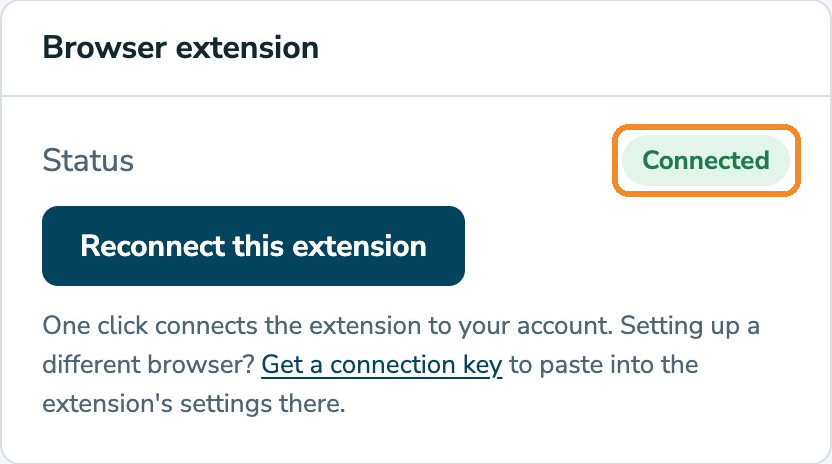
- Open Settings and find the Browser extension card.
- Click Connect this extension.
- Wait until the status says Connected.
4. Answer the setup guide's questions
The first time you sign in, a short guide asks:
- Where do you sell? Poshmark is always on: it's where your listings start. RelistKit only offers cross-listing to the marketplaces you choose here. On the Free plan, that's Poshmark and eBay.
- Your time zone. Dates and times, like the day a sale lands on, show in it.
- Do you sell anything for other people on a split? (Growth and Pro.) Most sellers say no. If you do, RelistKit keeps track of each consignor's share as their items sell. See Consignment Partners and Commissions.
- Your province or territory. Every seller sets this. It sets the sales tax RelistKit adds to what you paid for your stock.
- Are you registered for GST/HST? Most casual sellers aren't. If you are, enter your GST/HST number if you have it. See GST/HST: Registered or Not.
Then a quick tour shows you around, and you're all set.
Every step can be skipped, and you can change everything later under Settings. To open the guide again, click your initials in the top right corner of any RelistKit page, then click Setup guide.
What's next
Your dashboard has a Getting started card with your next steps, and it ticks each one off as you go. To write your first listing, see Your First Listing, Step by Step.
Common questions
The extension's icon is there, but nothing shows on Poshmark.
The RelistKit panel doesn't open by itself: click the RelistKit button in the lower right corner of a saved Poshmark draft's page. If you don't see the button, reload the page. If it's still not there, check that Settings → Browser extension says Connected, and if not, click Connect this extension. See The Panel Isn't Showing?
My password link has expired.
Click Forgot your password? on the sign-in page, and we'll send you a fresh one.
I skipped the setup guide.
Click your initials in the top right corner, then Setup guide.
Do I need a paid plan to set up?
No. Everything here works on the Free plan. The Free plan cross-lists to eBay, and Depop and Facebook Marketplace come with Starter and up.
I use Safari or Firefox.
The extension is for Chrome only for now. Chrome is free, and can sit alongside your usual browser.