
The Panel Isn't Showing?
RelistKit works inside Poshmark, eBay, Depop and Facebook Marketplace through its browser extension, a small add-on for Chrome. On those pages, it shows the RelistKit panel: its sidebar on the right side of the page. If you don't see the panel, go through these six checks in order. The first one is the most common fix.
1. Click the RelistKit button
On Poshmark, the panel doesn't open by itself. Look for the navy RelistKit button in the lower right corner of the page, and click it.
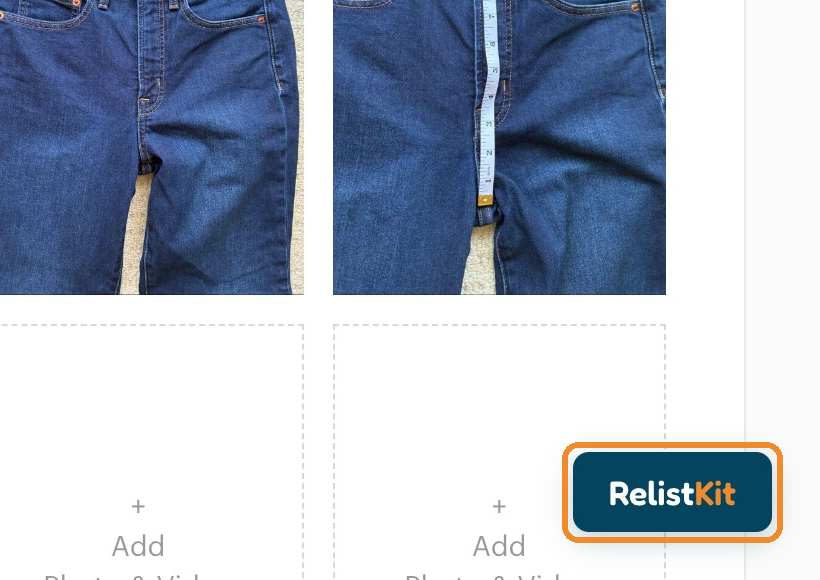
The panel opens by itself only when RelistKit has something for that page, like a listing it has just written, or a form it's filling for a cross-list (copying a listing to another marketplace).
Hide the panel and bring it back
Click the × at the top right of the panel to hide it. The RelistKit button comes back in its place: click it, and the panel opens again. Hiding the panel loses nothing.
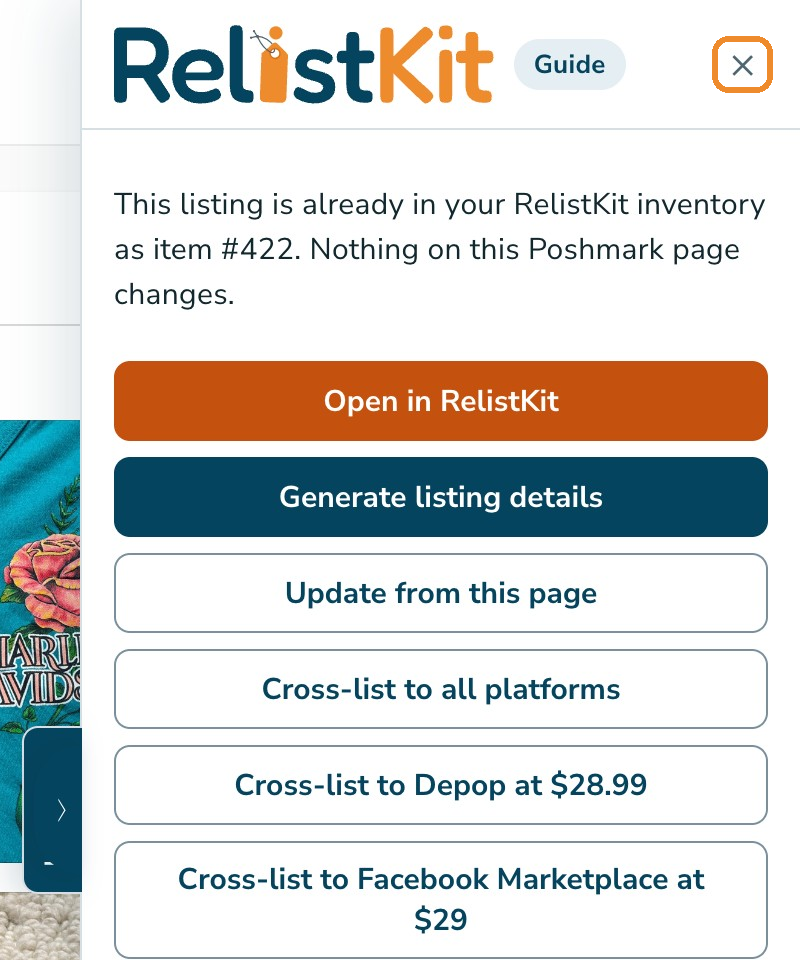
If the panel has shrunk to a small navy tab at the right edge of the page, click the tab to open it out again. While the panel is shrunk, the RelistKit button stays hidden.
2. Reload the page
No button either? Reload the page: click Chrome's circular arrow beside the address bar, or press Ctrl+R (Cmd+R on a Mac).
Tabs that were already open before you installed or updated the extension don't have it yet. A reload fixes that.
3. Check you're on the right page
RelistKit works on your own listings and closet on Poshmark, and on the listing and selling pages of eBay, Depop and Facebook Marketplace. Make sure you're signed in to your own account there, in the same Chrome.
The RelistKit button shows on:
- Poshmark: the Edit Listing page of your own listing, whether it's a saved draft or already live, and your own closet page. A listing's page as buyers see it has no button: open it for editing first.
- eBay: the new listing form, the edit page of a listing you already have, and Active listings in Seller Hub.
- Depop: the sell form, and your own shop page.
- Facebook Marketplace: Create new listing, your own Marketplace profile, and Your listings. If you got to Marketplace by clicking through from your Facebook feed, reload the page once you're there.
A new, empty Poshmark listing form has no button, because RelistKit writes listings on a saved draft. See Your First Listing, Step by Step.
On eBay, Depop and Facebook, RelistKit fills a form only when you start the cross-list from RelistKit. A form you open yourself shows the button, but nothing is filled. See Before You Cross-list.
4. Is it switched on?
- Type
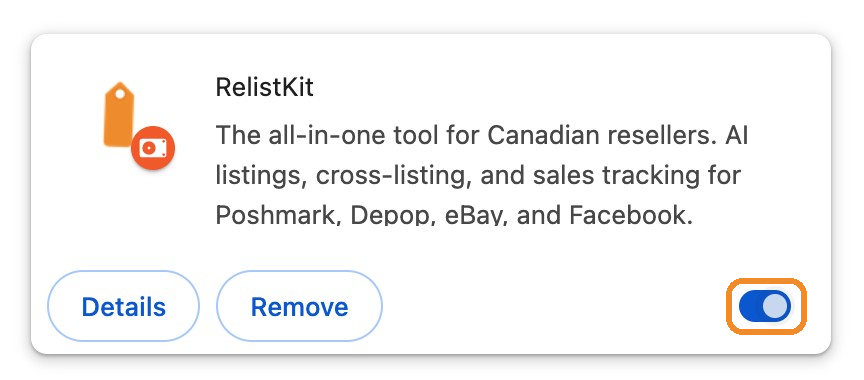
chrome://extensionsin Chrome's address bar and press Enter. (Or click Chrome's ⋮ menu, then Extensions, then Manage Extensions.) - Find RelistKit. Its switch, in the card's lower right corner, should be blue.
- If it's grey, click it to switch RelistKit on.
- Reload your marketplace tabs.
While you're there, turn off any other cross-listing extension, like ListEye or Vendoo, while RelistKit fills a form: two tools on one form leave it half filled. See Turn Off Other Cross-listing Extensions.
If RelistKit isn't on the list at all, it isn't installed in this Chrome. Click Install the extension at the bottom of any RelistKit page. Each Chrome profile (a separate Chrome "person" with its own sign-ins) has its own extensions, so install it in the profile you sell from.
5. Is it connected?
The extension has to be connected to your RelistKit account, so it can save and fetch your listings.
- In RelistKit, click Settings in the top menu.
- Find the Browser extension card. It should say Connected.
- If it doesn't, click Connect this extension.
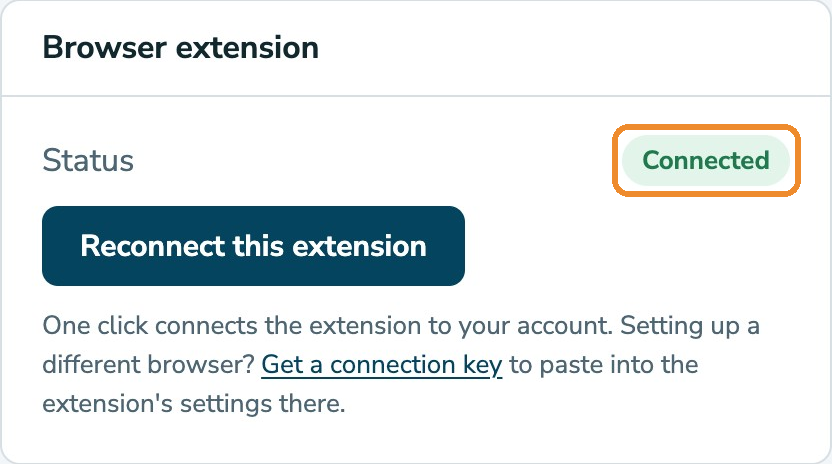
Reconnecting is safe at any time, and you don't need to reload anything afterwards. The card can say:
- Checking…: it's still looking for the extension. Give it a moment.
- Not detected: this Chrome doesn't have RelistKit, or it's switched off. Check step 4 before installing it again.
- Installed, not connected: click Connect this extension.
- Connected: all set. The button reads Reconnect this extension.
Connected means this Chrome holds a connection to your account. If the panel ever says "RelistKit is no longer connected to your account", click Reconnect this extension, even though the card says Connected.
Another computer, browser or Chrome profile
Each one connects on its own, to one RelistKit account:
- Install the extension there.
- Sign in to RelistKit in that same Chrome.
- Click Settings, then Connect this extension.
6. Still stuck?
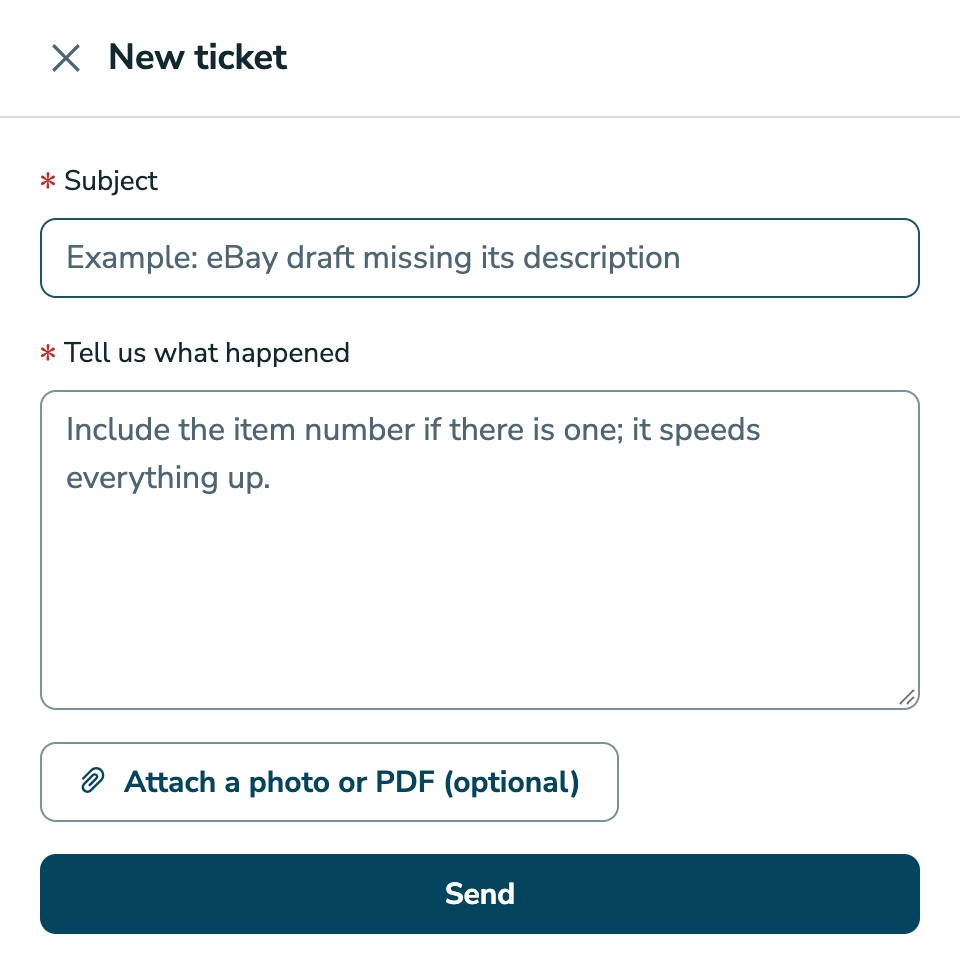
- In RelistKit, click Support in the top menu, then New ticket.
- Say which page you're on, and what the panel showed.
- If the panel has an Activity list at the bottom, click Copy there, and paste the lines into Tell us what happened.
- Click Send.
The Activity list is RelistKit's last few notes on what it did in that tab. It only appears after RelistKit has done something there, like filling a form. See Getting Support.
Messages you might see
- "RelistKit is no longer connected to your account." In RelistKit, click Settings, then Reconnect this extension.
- "The extension is not connected yet." Click Settings, then Connect this extension.
- "RelistKit was updated since this page loaded. Refresh the page to reconnect." Reload the page.
- A greyed-out RelistKit button, or "RelistKit could not load its settings in this tab." Reload the page. If it keeps happening, switch RelistKit off and on again on
chrome://extensions(step 4), then reload. - "Waiting for the cross-list to reach this tab." Give it up to a minute. If nothing happens, close the tab and cross-list again from RelistKit. See When a Field Isn't Filled In.
- "Poshmark asked you to confirm you are human." This can happen during a closet import. Complete the check on the page yourself, then click Resume. See Import Your Closet.
- "Waiting for this tab" during a closet import. Keep the tab open and in front, and the import carries on by itself.
When the panel shows an error, it also offers Status page and Contact support. The status page shows whether RelistKit itself is having a problem.
Common questions
Does it work in Safari, Firefox or on my phone?
The extension needs Chrome on a computer. The RelistKit app itself works in any browser, including your phone's, for checking your sales, inventory and reports.
Settings says Not detected, but I installed it.
It's switched off, or it's installed in a different Chrome or Chrome profile. Switch it on (step 4), then reload Settings.
The panel opened on eBay, but nothing filled.
Start the cross-list from RelistKit: the cross-list buttons on the item's page, or Cross-list to … in the Poshmark panel. RelistKit then opens the form for you and fills it.
Do I need to reload after reconnecting?
No. The extension picks up the new connection straight away.