
Refunds and Returns
Sometimes a sale comes back: a buyer opens a case, or a return lands on your doorstep. RelistKit keeps track of all of it, and when the item comes back, it puts it back in your inventory, ready to relist.
The short version
- A full refund takes one click, with no amount to type. The sale comes out of your sales totals. This is every Poshmark case, and most eBay and Depop returns.
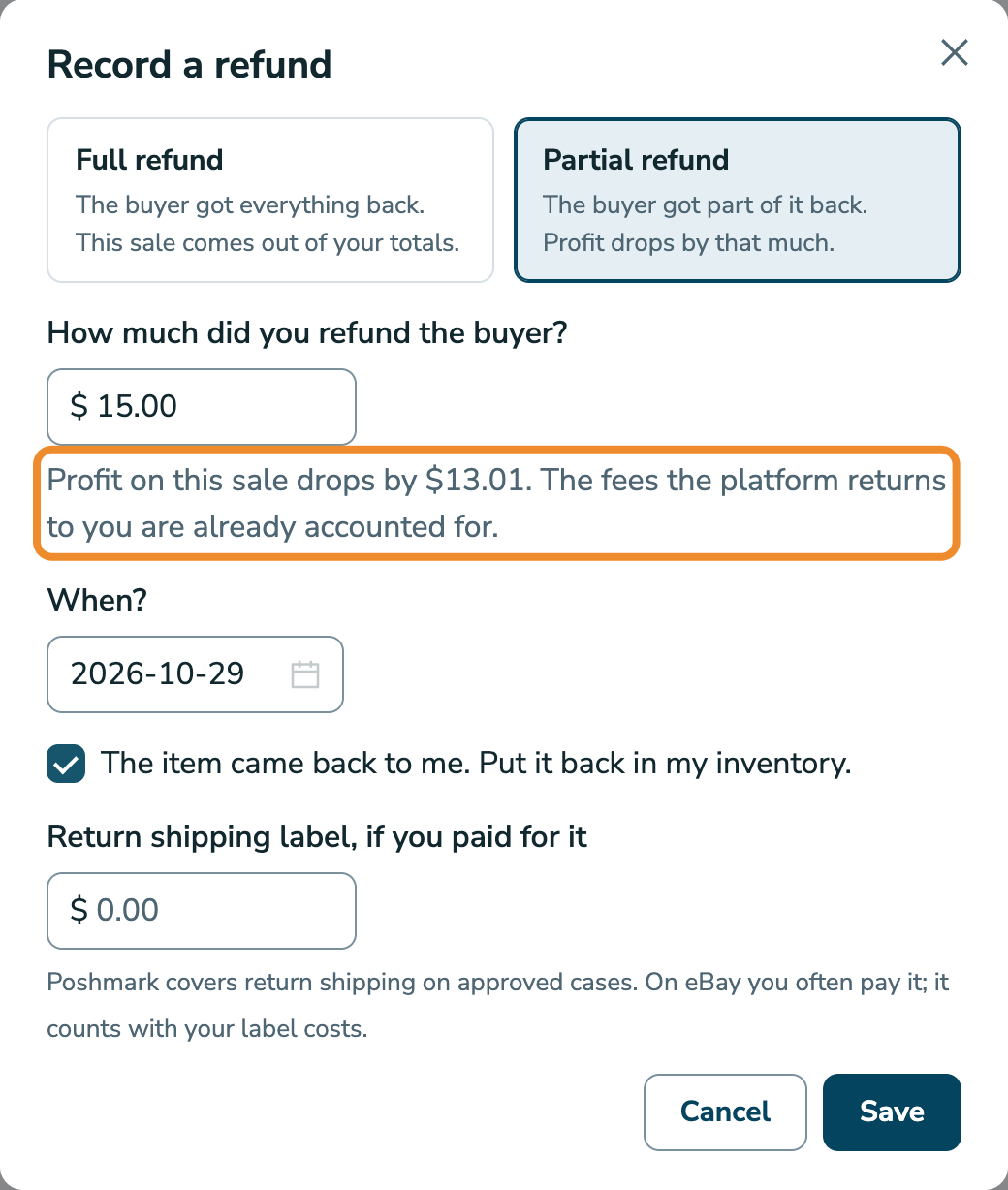
- A partial refund: enter what you refunded the buyer, the same number you typed on eBay or Depop. RelistKit works out what it really cost you, because those marketplaces give back part of their fees when you refund.
- If the item came back, tick The item came back to me. Put it back in my inventory. and it returns to your inventory, ready to cross-list. If you paid for the return shipping label, there's a field for that too.
1. Record a refund
- Click Sales in the top menu, then the All sales tab, and find the sale.
- Click the refund arrow on the sale's row (Record a refund).
- Full refund is already selected. If you only refunded part, click Partial refund, then enter the amount under How much did you refund the buyer?. RelistKit shows you right away how much profit the sale loses. The fees eBay and Depop return to you are already accounted for.
- Under When?, pick the date you gave the refund.
- If the item is back with you, tick The item came back to me. Put it back in my inventory.
- If you paid for a return label, enter its cost under Return shipping label, if you paid for it.
- Click Save.
2. Fix a mistake
Click the refund arrow on the same row again to change the refund, or click Remove refund in the window to undo it completely. The sale counts in your totals again the moment you remove it.
To fix a sale's amounts or date instead, see Correcting a Sale.
What happens to your numbers
- Refunded in full: the sale stops counting in your sales totals, the same way a cancelled order does. It stays under All sales, with a Refunded status, and in your downloads, so your books keep the record.
- Partial refund: the sale stays Sold, and its profit drops by what the refund actually cost you (your refund, less the fees the marketplace returned). To see refunds in the list, click Columns and tick Refund. They're in your downloads too.
- Return shipping you paid for counts with your shipping label costs on that sale. Poshmark pays return shipping on approved cases, so there's usually nothing to enter for Poshmark.
On your profit and loss, a refund counts on the day you gave it, so a month you've already closed never changes. See The Profit and Loss.
When the item comes back
Ticking The item came back to me puts the item back, and RelistKit is careful about what it assumes:
- Listings you were told to take down after the sale, and hadn't yet, are marked live again, because they really are still up.
- The listing on the marketplace where it sold stays ended, because that listing ended when it sold.
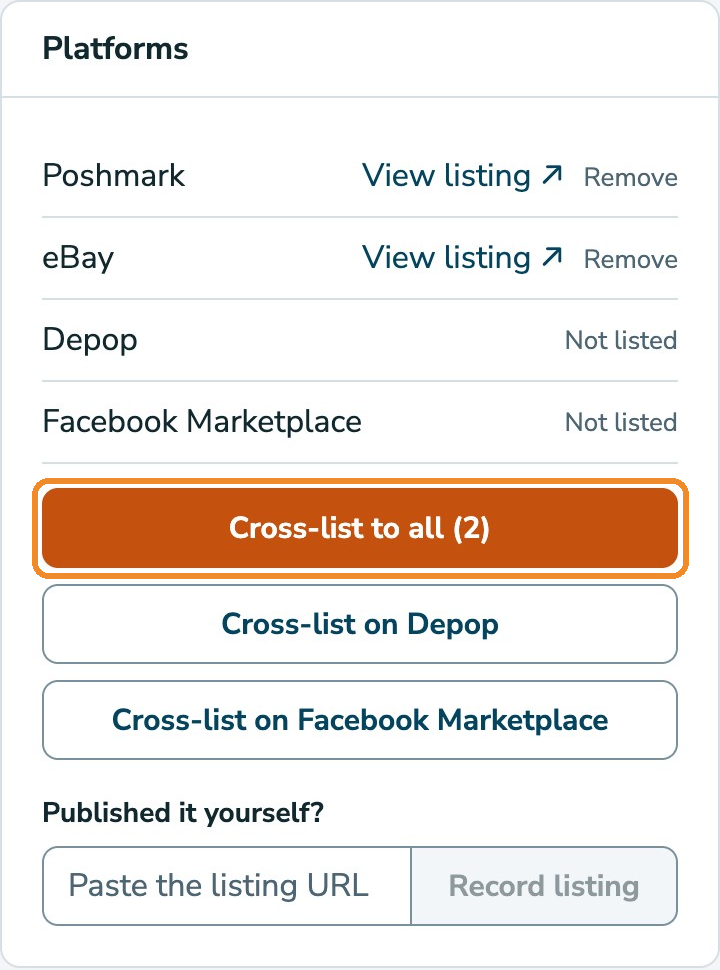
The item lands back in your inventory as Listed if it's still live somewhere, or as Draft if it isn't live anywhere. Open it, and the Platforms card offers to cross-list it to the marketplaces it isn't on. Relist it where it sold the way you normally would on that marketplace.
eBay refunds, automatically
If your eBay account is connected, RelistKit records eBay refunds on single-item orders for you, within a few hours (see Connect Your eBay Account). It never assumes the item came back: when it does, open the refund and tick the box. Refunds on orders with more than one item, you record yourself.
Consignors
If the item was a consignor's, their share follows the refund: a partial refund lowers it, and a full refund removes it. A share you've already paid never changes. If your agreement says the consignor shares refunds, add a charge to them on their ledger (see Paying Your Consignment Partners).
A cancellation isn't a refund
If an order is cancelled before it really happened, because a buyer cancels quickly or an unpaid order lapses, RelistKit records a Cancelled sale and puts the item straight back to Listed, because marketplaces reinstate the listing on a cancellation. A refund is the after-the-fact version: money moved back, maybe partly, and nothing is assumed about where the item is listed.
Common questions
Do I enter what the marketplace took back from me, or what the buyer got?
What the buyer got. RelistKit works out your side from that.
The refund arrow isn't on the row.
Only sold and refunded sales take a refund. A cancelled sale has nothing to refund.
Does a refund change my GST/HST figures?
Only on sales you collected tax on yourself, like Facebook Marketplace sales, and in the period you gave the refund. See Your GST/HST Return Figures.