
Write an eBay or Facebook Marketplace Listing with AI
Your listings don't have to start on Poshmark. RelistKit can write a new listing right on eBay's or Facebook Marketplace's own listing form, from the photos you add there. You check the filled-in form and list it yourself, and RelistKit records the listing so you can cross-list it anywhere, Poshmark included. Writing on eBay works on every plan, Free included. Facebook Marketplace is part of the Starter, Growth and Pro plans.
RelistKit fills in the form, but nothing goes live until you click eBay's List it or Facebook Marketplace's Publish yourself.
Before you start
- The RelistKit extension is installed in Chrome on your computer and connected to your account.
- You're signed in to eBay or Facebook in that Chrome.
- You have a credit to spare. Writing a listing uses 1 credit, as it does on Poshmark.
Write a listing on eBay
- On eBay, start a new listing as you usually do. eBay asks for a few words and a category first. Any category will do, since RelistKit sets the right one.
- Add your photos on eBay's form.
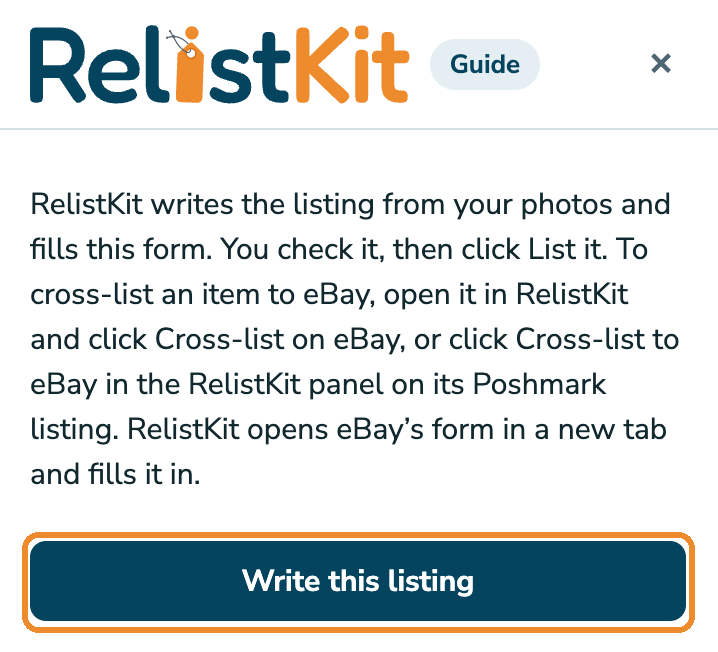
- Click the RelistKit button on the page to open the RelistKit panel, then click Write this listing.
- If the item doesn't have a SKU or a cost yet, RelistKit asks for them first. Both are optional, but they help later, for finding the item and working out your profit. The SKU goes in eBay's Custom label (SKU) box, and the cost stays in RelistKit.
- Wait while RelistKit reads your photos and writes the listing. It fills in the category, title, condition, item specifics, description and price. Your photos stay just as you added them.
- Check the form, change anything you like, then click eBay's List it.
RelistKit records the eBay listing on a new item in your inventory. The panel then offers to cross-list it to Poshmark, Depop and Facebook Marketplace.
The price comes from your eBay pricing rule (see Set Your Pricing Rules).
No photos on the form yet? The panel says "Add your photos on eBay's form, then click Write this listing." RelistKit writes from the photos on the form, so add them first.
Write a listing on Facebook Marketplace
It works the same way on Facebook Marketplace's form:
- On Facebook Marketplace, start a new listing for an item for sale.
- Add your photos on Facebook's form.
- Click the RelistKit button to open the panel, then click Write this listing.
- Enter a SKU and cost if RelistKit asks for them.
- Wait while RelistKit writes the listing and fills in the form.
- Check the form, then click Facebook's Publish.
RelistKit records the listing on a new item, ready to cross-list.
A draft you saved on Facebook
You can also write a draft you saved earlier on Facebook Marketplace. Open the draft from Facebook's drafts, then click Write this listing in the RelistKit panel.
On a saved draft, Facebook only shows RelistKit a square copy of each photo, trimmed at the top and bottom. A tag at the very top or bottom of a tall photo can be cut off, so check the brand and size before you publish.
Your own words count
- Anything you've already typed on the form, like a title, description, brand, size or colour, is treated as fact. That's how to tell RelistKit something the photos can't show.
- A price you typed yourself is kept.
- Any changes you make on the form before you list it are what RelistKit records.
The few words eBay asks for when you start a listing are used as a hint about what the item is. They aren't kept as your title.
Coming back to a listing
Left the form before listing it? Open the same draft again and click the RelistKit button. The panel shows what it wrote, with these buttons:
- Fill the form fills the form again with what RelistKit wrote. No credit is used.
- Generate again writes the listing again and uses another credit. Words you typed yourself are kept.
- Research the price looks up what similar items sold for and uses 1 credit. Click Use this price to put it in the form.
Common questions
Does RelistKit list the item for me?
No. It fills in the form, and you click List it or Publish when you're happy with it.
Can I start a listing on Depop?
Not yet. Depop is for cross-listing only.
I'm on the Free plan. Can I write on Facebook Marketplace?
Writing on Facebook Marketplace is part of the Starter, Growth and Pro plans. On Free, you can write listings on Poshmark and eBay.
Does it change my photos?
No. RelistKit leaves your photos as you added them. To clean up a photo's background, see Remove a Photo's Background.
What about listings I already have on eBay or Facebook Marketplace?
Bring them into RelistKit with an import instead. See Import from eBay, Depop and Facebook.
It wrote the wrong brand or size.
Change it on the form before you list it. RelistKit records what you change. If a brand or size comes up wrong again and again, let us know through Support in the top menu.
Read next
See Write a Poshmark Listing with AI for how RelistKit reads your photos, and Cross-list to eBay and Selling on Facebook Marketplace for cross-listing items you already have.